
 Next-generation TMS
Know where every truck is and what's ready to invoice.
Atlas connects the order, the trip, the driver's phone and the invoice. No more calling for positions, no more waiting for paperwork, and the trip's estimated cost before the truck leaves.
We'll show you Atlas on screen and answer your questions.


What changes in your company
Seven things that eat your day, and how Atlas solves them.
“Orders arrive by e-mail as PDFs, and we copy them by hand.”
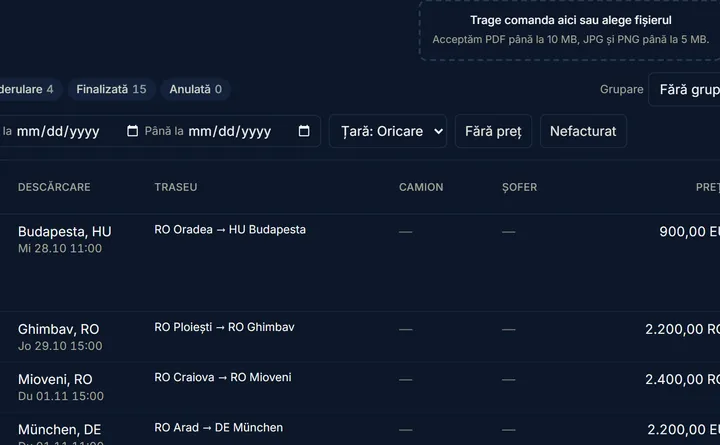
The order fills itself in.
Drop the order's PDF or photo into Atlas and the order form fills itself in. You check it and save.
An optional AI feature, switched on only if you want it. Works with a PDF, a photo or the attachment of an e-mail uploaded to Atlas.
“We only find out what a trip cost when the receipts come in.”
The trip's cost, before the truck leaves.
Atlas estimates fuel, road tolls and your cost per kilometre for the chosen truck, ex-VAT, and puts it next to the order's price. When the trip ends, the cost is fixed and you see the margin per order.
Road tolls calculated automatically in Romania, Austria, Germany and Czechia. When something is missing, Atlas tells you what, instead of counting it as zero.
- Fuelthe weekly average price published by the European Commission
- Road tollsRomania, Austria, Germany, Czechia
- Your cost per kmwhat the truck costs you, set by you
The trip's estimated costex-VAT, at the BNR rate, before departureThe order's price, on the same screen.
“To find out where the truck is, I have to call the driver.”
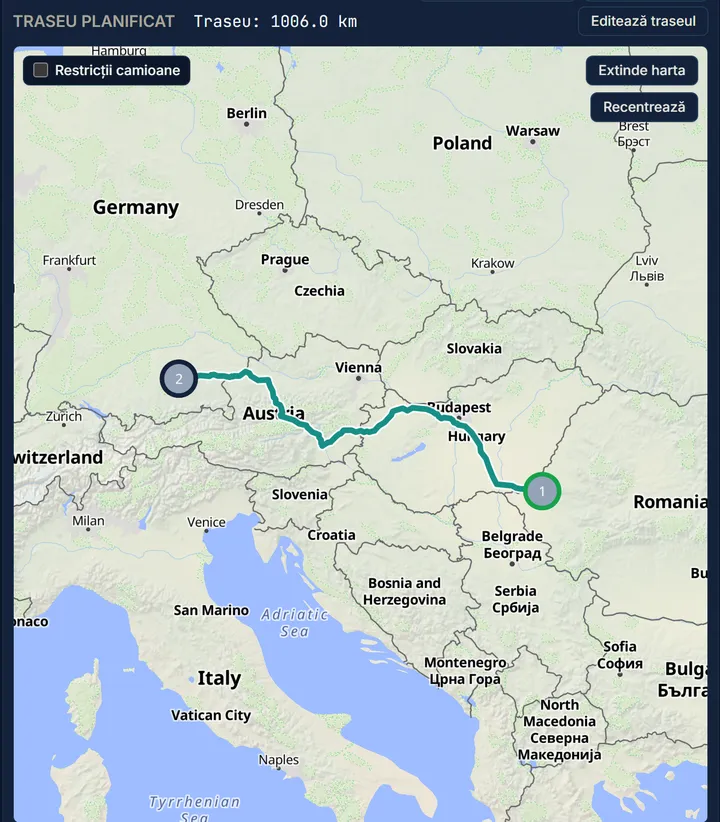
See where the truck is, without calling.
The position comes from the truck's Teltonika tracker or, without one, from the driver's phone. Routes are calculated for trucks — dimensions, weight, ADR — from Romania to Spain and Denmark.
The driver gets the trip straight in the app.
Map © OpenStreetMap contributors, OpenMapTiles, OpenFreeMap “The photo of the signed CMR sits on the driver's phone until the truck is back.”
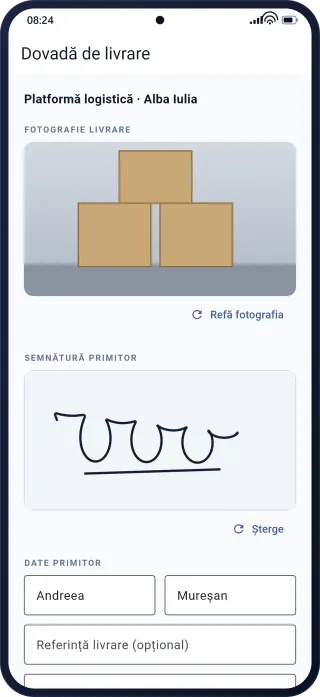
Proof of delivery arrives at once. The invoice comes from the order.
At unloading, the driver takes a photo, enters the recipient's name and asks for a signature on screen. The proof shows up in dispatch immediately, and once every delivery is confirmed, Atlas prepares the invoice draft.
No more waiting for paperwork to issue the invoice.
“We found out the roadworthiness inspection had expired at a roadside check.”
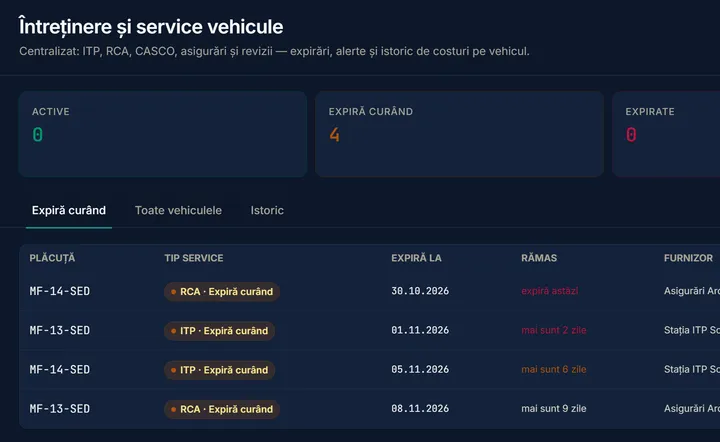
Deadlines tell you in time.
Roadworthiness inspection, insurance, road vignette, tachograph and services for every truck, plus your drivers' papers: licence, tachograph card, CPC, medical certificate, ADR. Atlas warns you before they expire, and when you put a driver with expired papers on a trip.
Warnings show up in Atlas, with their severity.
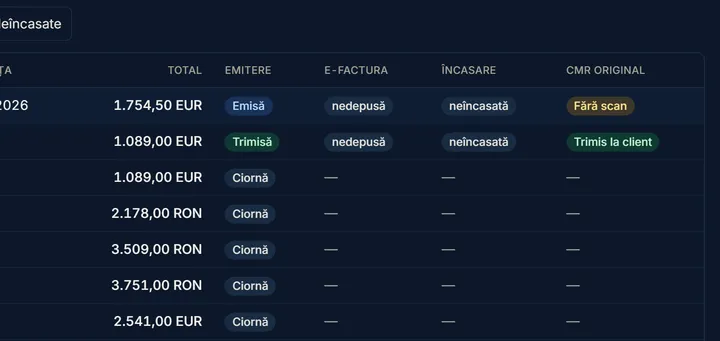
“We track invoices, e-Factura and payments in three different places.”
The invoice comes from the order, with its e-Factura file.
Invoices come straight from the order, in lei or in foreign currency at the BNR rate, with the client's details taken from ANAF by tax ID. Atlas also generates the e-Factura XML file (UBL, CIUS-RO) for you to upload to SPV, and shows what's paid, what's overdue and where the original CMR is missing.
Direct submission to SPV is coming soon.
“We already have GPS in our trucks. We don't want yet another system.”
Start with what you already have.
Teltonika trackers connect to Atlas directly. Trucks without a tracker use the driver's phone while the driver is on shift.
Already have GPS in your trucks? Tell us your provider at the demo and we'll check the connection together.


Want to see what it would look like for your fleet?
Request a demoWhy next generation
Not an old program with a new screen. Atlas is built for the way a transport company works today.
AI built in, not bolted on
Atlas reads the order from a PDF or photo and fills in the form. You check and decide. The feature is optional and only switched on with your company's consent.
A driver app that works without signal
Without signal, the phone keeps proofs of delivery, messages and positions, and sends them by itself when the signal returns.
One flow, from order to invoice
The order, the trip, the driver app, the proof of delivery and the invoice are connected. What was entered once is never typed again.
Numbers you can rely on
Atlas doesn't guess. Every figure says whether it was measured, estimated or planned, and when something is missing, it shows you what instead of counting it as zero.
A day with Atlas
The same trip, through three people's eyes.
07:30 · The dispatcher
Plans.
Drops the order's PDF into Atlas and checks the filled-in form. Puts the order on a free truck, sees the estimated cost and sends the trip to the driver's phone.
11:40 · The driver
Delivers.
Follows the route in the app. At unloading takes the photo, enters the name and asks for the signature. The proof reaches dispatch at once.
18:00 · The owner
Checks.
Sees the day's trips, what was delivered and what's ready to invoice. The invoice draft is already prepared: a quick check, and it's issued.

Before Atlas, and with it
Excel, WhatsApp and separate programs, side by side with one system.
- The order
- Before · Arrives by e-mail and gets retyped into Excel.
- With Atlas · You drop it into Atlas; the form fills itself in, you check it.
- Where the truck is
- Before · You call the driver.
- With Atlas · You see it on the map.
- The trip's cost
- Before · You learn it once the receipts come in.
- With Atlas · You see an estimate before departure; at the end it's fixed, with the margin per order.
- Proof of delivery
- Before · The CMR photo gets lost in a WhatsApp group.
- With Atlas · Photo, name and signature show up on the trip, in dispatch.
- The invoice
- Before · Typed again, from paper.
- With Atlas · Comes from the order, with the e-Factura XML file.
- Deadlines
- Before · A wall calendar, or someone's memory.
- With Atlas · Atlas tells you in time, for trucks and for drivers.
- Trip sheets
- Before · Filled in by hand.
- With Atlas · Generated every night from the recorded routes.
Your company's data stays yours
Put simply: who sees your data and how it is kept.
Atlas is built by someone who works at a transport company every day.
Kept apart by the database itself
Each company's data is separated by the database itself, not just by the application.
Support is read-only, and visible
When the Vaelor team needs to look into your account, it is read-only, with a written reason, for at most 30 minutes. Your administrator sees every access and can end it at any time.
Encrypted backups
Made automatically, encrypted, and also kept off the server.
AI only with your consent
AI features are optional. Without them, none of your company's data is sent to an AI provider.
Getting started
From the demo to your first trip in Atlas.
Three steps, and your company runs in Atlas.
A demo on screen
Tell us how you work today; we show you how it looks in Atlas, from order to invoice.
Your company account
We set up the account, you add your trucks, drivers and clients. Client details fill in from ANAF by tax ID.
The driver app
We help you install the app on your drivers' phones, and the first trip goes out from Atlas.
What owners ask us
Short answers to what you want to know first.
How long until we start?
We create your company's account and help you get started. How long it takes depends on the fleet; we'll give you a concrete answer at the demo.
Can I bring my data from Excel?
Delivery addresses, yes: import them from an Excel or CSV file.
Am I locked into a long contract?
We agree the contract terms together, in writing.
Will the app run on my drivers' phones?
On phones with Android 8.0 or newer. We help you with the installation.
What happens where there's no signal?
The app keeps working without signal and sends everything by itself when the signal returns.
Who owns the data, and can I get it out?
Your company's. You can download reports, invoices and route history from Atlas at any time.
The Atlas application and the driver app are in Romanian.
See what a day of your company looks like in Atlas.
Tell us how many trucks you run and what you haul. We'll show you, on screen, an order's journey from the moment it arrives to the invoice.